How to add NetNut proxy in ixBrowser
Step 1:Download, install and register ixBrowser
ixBrowser official websit:https://ixbrowser.com/cn?utm_source=netnut
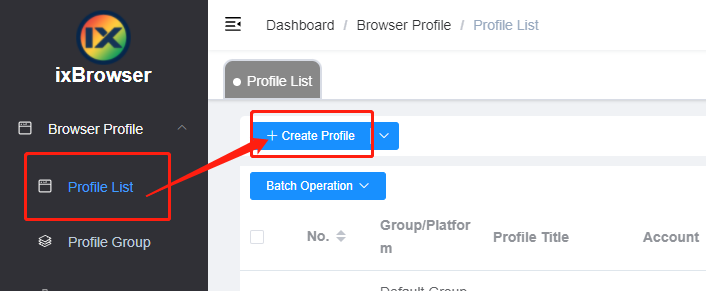
Step 2:click “Create Profile” button in Profile List
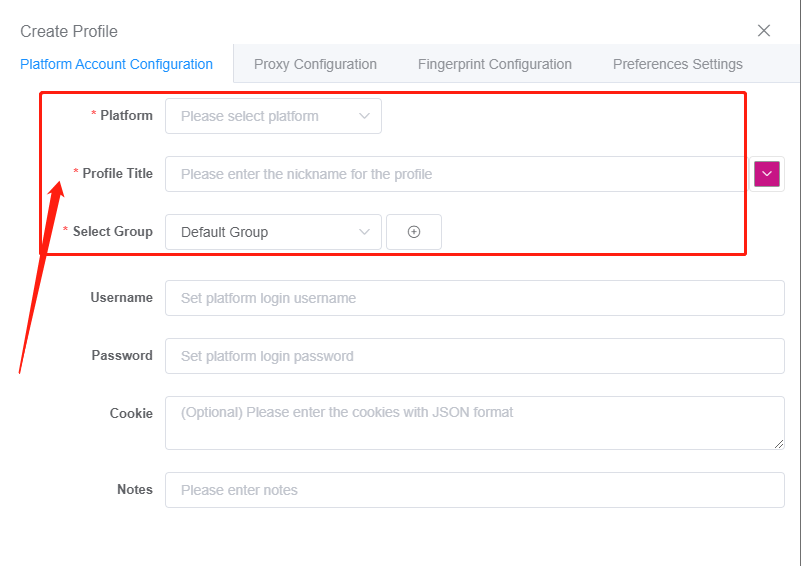
Step 3:choose platform and group, fill in the profile's information
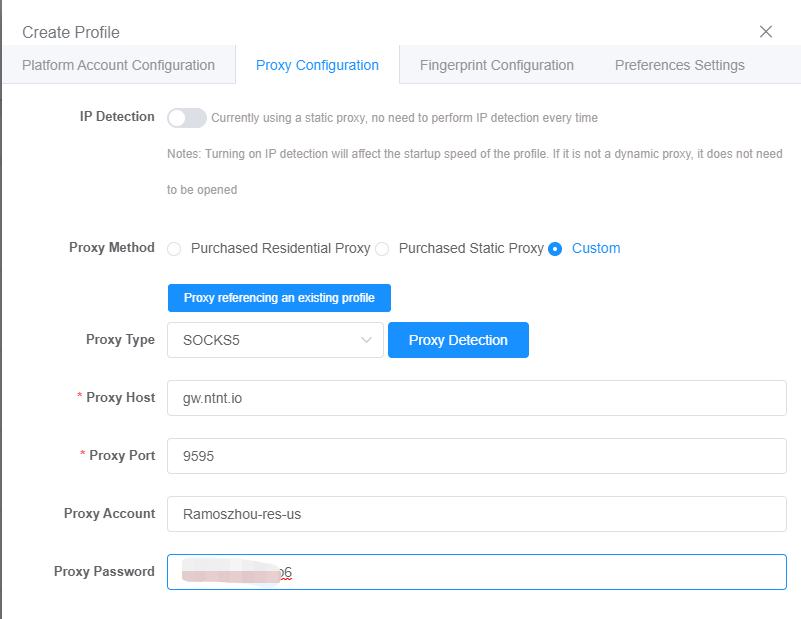
Step 4:go to Proxy Configuration page, since NetNut supports HTTP/HTTP/SOCKS5 protocols, you can fill in the corresponding configuration information as needed
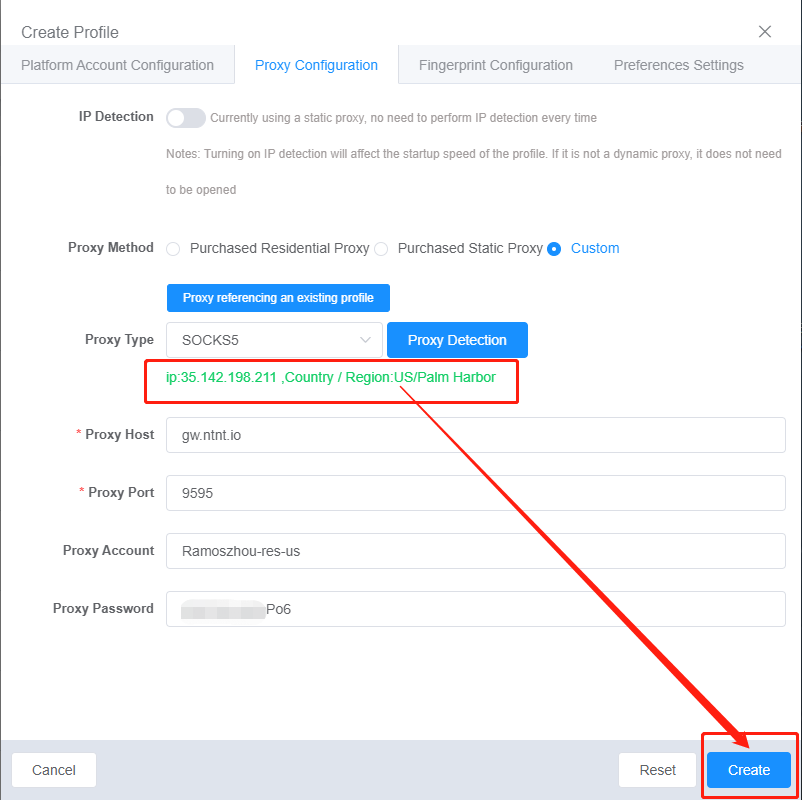
Step 5:when the detection is passed, click “Create” button below to complete the proxy settings and profile creation operations
ixBrowser official websit:https://ixbrowser.com/cn?utm_source=netnut
Step 2:click “Create Profile” button in Profile List
Step 3:choose platform and group, fill in the profile's information
Step 4:go to Proxy Configuration page, since NetNut supports HTTP/HTTP/SOCKS5 protocols, you can fill in the corresponding configuration information as needed
Step 5:when the detection is passed, click “Create” button below to complete the proxy settings and profile creation operations