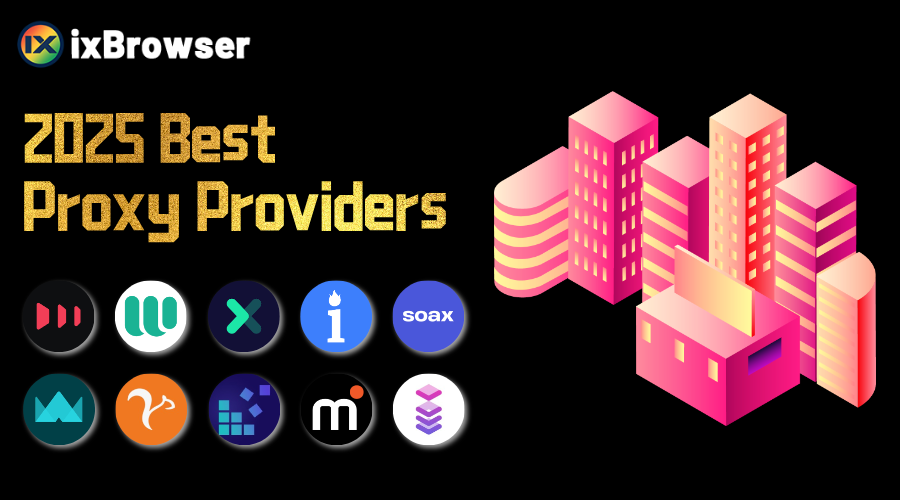
2025 Best 10 Proxy Providers
Proxy services have become indispensable in today's world and people are using proxies to fulfill their diverse needs. Individuals use proxies to access content with geo-network restrictions, enhance personal privacy, and bypass website blocks. Businesses use proxies for web scraping and market research.
There are many proxy service providers on the market, and it is particularly important to choose a trustworthy service provider. Today we will conduct a simple analysis and list the 10 best proxy service providers in 2025.
#1 Smartproxy
Smartproxy is a leading proxy service provider offering residential, datacenter, and mobile proxies to empower businesses and individuals in managing web data collection, ad verification, SEO monitoring, and bypassing geo-restrictions. With a global network of over 55 million IPs across 195+ locations, it ensures high anonymity, fast speeds, and reliable connectivity. Its user-friendly dashboard, flexible pricing tiers, and API integration cater to both small-scale projects and enterprise-level operations. Smartproxy emphasizes ethical sourcing of residential IPs and compliance with data privacy regulations, making it a trusted choice for market research, e-commerce, and cybersecurity applications.
Pros:
·Extensive IP pool with global coverage.
·Intuitive interface and 24/7 customer support.
·Competitive pricing for small to medium users.
·Strong focus on ethical proxy sourcing.
·Supports multiple protocols (HTTP/S, SOCKS5).
Cons:
·Speed inconsistencies during peak hours.
·Limited advanced customization for enterprise clients.
·Fewer mobile proxy locations compared to competitors.
Smartproxy special offer: Smartproxy residential proxies are currently at 40% off using the code RESI40
#2 Webshare
Webshare is a cost-effective proxy service provider specializing in residential and datacenter proxies, designed to support web scraping, data mining, and anonymity-focused tasks. Known for its simplicity and affordability, Webshare offers a global network of IPs across 195+ locations, with flexible plans catering to individuals, developers, and small-to-medium businesses. Its proxies support HTTP/S and SOCKS5 protocols, and the platform emphasizes ease of use through features like automatic IP rotation, API access, and a user-friendly dashboard. Webshare is particularly popular for its transparent pricing, free tier (limited IPs), and pay-as-you-go options, making it accessible for testing or low-budget projects. While it lacks enterprise-grade tools, it remains a practical choice for basic data collection, SEO monitoring, and bypassing geo-blocks.
Pros:
·Affordable pricing with free tier and scalable pay-as-you-go plans.
·Simple setup and intuitive interface for non-technical users.
·Flexible authentication (IP whitelist, username/password).
·Supports multiple protocols (HTTP/S, SOCKS5).
·Transparent service with no hidden fees.
Cons:
·Smaller IP pool compared to premium competitors.
·Basic features lacking advanced anti-blocking or AI-powered tools.
·Inconsistent speeds for high-demand regions.
Webshare special offer:Create a new account and receive "10 free datacenter proxies + 1GB/month of bandwidth to use as long as you want, no credit card required"
#3 Oxylabs
Oxylabs is a premium proxy and web scraping solutions provider, catering primarily to enterprises and developers requiring large-scale data collection capabilities. Renowned for its robust infrastructure, Oxylabs offers residential, datacenter, and mobile proxies, alongside specialized tools like Next-Gen Web Scraper and SERP Scraping API. Its network spans over 100 million residential IPs across 195+ regions, ensuring high anonymity, granular targeting, and exceptional success rates for tasks such as price monitoring, market research, and competitive analysis. Oxylabs emphasizes compliance with global data regulations (e.g., GDPR) and ethical proxy sourcing, positioning itself as a go-to solution for industries like e-commerce, finance, and cybersecurity. With advanced features like AI-powered anti-blocking technology and 24/7 technical support, it prioritizes scalability and reliability for complex data operations.
Pros:
·Massive, ethically sourced IP pool with unmatched geographic diversity.
·Enterprise-grade tools for high-volume, complex scraping tasks.
·Advanced anti-detection mechanisms and high success rates.
·Dedicated account managers and responsive customer support.
·Strong compliance with data privacy standards.
Cons:
·Premium pricing, less accessible for small businesses or individual users.
·Steeper learning curve for non-technical users due to advanced features.
·Occasional delays in proxy rotation during high-demand periods.
·Limited flexibility in pricing plans compared to budget competitors.
#4 Bright Data
Bright Data is a globally recognized leader in proxy services and web data collection solutions, trusted by enterprises, researchers, and developers for large-scale, reliable data acquisition. Formerly known as Luminati Networks, the platform offers a comprehensive suite of proxies, including residential, datacenter, mobile, and ISP proxies, supported by one of the world’s largest ethically sourced IP networks (over 72 million IPs across 195+ countries). Its infrastructure enables advanced use cases such as ad fraud detection, e-commerce price monitoring, market trend analysis, and SEO optimization. Bright Data emphasizes compliance with GDPR, CCPA, and other data privacy regulations, ensuring ethical data collection practices. The platform also provides developer-friendly tools like a browser extension, APIs, and a user-friendly dashboard, along with AI-powered anti-blocking technology to bypass CAPTCHAs and IP bans.
Pros:
·Unparalleled IP diversity and global coverage for granular targeting.
·Ethically sourced residential IPs with full compliance and transparency.
·High success rates and advanced anti-detection features (e.g., AI-powered tools).
·Robust infrastructure tailored for enterprise-level scalability and reliability.
·Comprehensive toolset (APIs, browser extensions, proxy manager) for developers.
·24/7 enterprise-grade support and dedicated account management.
Cons:
·Premium pricing model, making it cost-prohibitive for small businesses or individual users.
·Complex setup for non-technical users due to advanced customization options.
·Occasional latency issues in high-demand geolocations.
·Strict compliance checks may delay onboarding for some clients.
·Limited pay-as-you-go options compared to budget competitors.
#5 SOAX
SOAX is a proxy service provider specializing in residential and mobile proxies, designed to support data scraping, ad verification, and market research. With a focus on flexibility and affordability, SOAX offers a global network of over 10 million IPs across 150+ locations, emphasizing ethical sourcing and dynamic IP rotation to minimize blocking risks. The platform caters to developers, marketers, and businesses seeking scalable solutions for tasks like competitor analysis, price monitoring, and social media management. SOAX stands out for its user-friendly dashboard, granular targeting options (e.g., country, city, or ISP filters), and customizable plans, including pay-as-you-go pricing. While less enterprise-oriented than premium competitors, it balances cost and functionality for mid-sized projects, prioritizing ease of integration via API and proxy management tools.
Pros:
·Dynamic IP rotation and targeting by location/ISP to reduce blocking.
·Ethically sourced residential proxies with transparent practices.
·Simple interface and quick setup for non-technical users.
·API integration and detailed usage statistics.
Cons:
·Limited advanced features (e.g., no AI anti-detection tools).
·Inconsistent speeds in high-demand regions.
·Basic customer support (no 24/7 live assistance).
·Mobile proxy coverage lags behind premium competitors.
#6 IPRoyal
IPRoyal is a proxy service provider offering residential, datacenter, and sneaker proxies tailored for web scraping, e-commerce automation, and bypassing geo-restrictions. Known for its budget-friendly approach, IPRoyal emphasizes simplicity and accessibility, making it a popular choice for individuals, developers, and small businesses. Its residential proxy network spans millions of IPs across 195+ regions, with a focus on ethical sourcing through a user-approved "Paid Proxy" model, where individuals voluntarily share their idle bandwidth. The platform supports HTTP/S and SOCKS5 protocols and provides features like automatic IP rotation, session control, and targeting by country or city. IPRoyal’s straightforward pricing, transparent policies, and user-friendly dashboard cater to users seeking cost-effective solutions for tasks like SEO monitoring, ad verification, and social media management.
Pros:
·Affordable pricing with flexible pay-as-you-go and subscription plans.
·Ethically sourced residential proxies via a consent-based network.
·Easy-to-use interface and quick integration for non-technical users.
·Global coverage (195+ countries) with city-level targeting.
·Transparent policies and no hidden fees.
Cons:
·Smaller IP pool compared to premium competitors like Bright Data or Oxylabs.
·Limited advanced features (e.g., no AI-powered anti-blocking tools).
·Inconsistent speeds during peak usage times.
·Fewer customization options for enterprise-level needs.
#7 NetNut
NetNut is a proxy service provider specializing in high-speed ISP (Internet Service Provider) proxies, designed for large-scale web scraping, ad verification, and e-commerce automation. Unlike traditional residential or datacenter proxies, NetNut leverages a unique ISP-based infrastructure to deliver faster speeds, lower latency, and higher reliability for data-intensive tasks. Its network routes traffic through direct ISP partnerships, ensuring minimal blocking and near-instantaneous response times for applications like price monitoring, SEO tracking, and inventory management. NetNut emphasizes scalability, offering unlimited concurrent sessions and a global network spanning 100+ countries. The platform caters to enterprises and developers seeking compliance-focused solutions, with features like granular geo-targeting, rotating IPs, and integration via API or proxy manager tools. Its transparent pricing and focus on performance make it a competitive choice for businesses prioritizing speed and stability over residential IP diversity.
Pros:
·Blazing-fast speeds due to ISP-based network architecture.
·High reliability and low latency for real-time data scraping.
·Unlimited concurrent sessions and scalable for enterprise needs.
·Simple integration with APIs, browser extensions, and third-party tools.
·Strong compliance with ethical data collection standards.
Cons:
·Limited IP diversity compared to residential proxy providers.
·Higher cost for small-scale users or short-term projects.
·Fewer targeting options (e.g., no city-level precision in some regions).
·Basic customer support for non-enterprise clients.
#8 DataImpulse
DataImpulse is a proxy and web data collection platform designed to empower businesses with reliable access to public web data for market research, competitive analysis, and automation tasks. Specializing in residential and datacenter proxies, DataImpulse offers a global network of IPs with granular geo-targeting capabilities, enabling users to bypass geo-blocks, scrape data efficiently, and monitor trends anonymously. The platform emphasizes ease of use, featuring a streamlined dashboard, API integration, and tools for IP rotation and session management. Tailored for startups and mid-sized enterprises, DataImpulse focuses on affordability without compromising core functionalities like ad verification, SEO tracking, and e-commerce price aggregation. While smaller in scale compared to industry giants, it prioritizes ethical data practices and transparent pricing models.
Pros:
·Cost-effective plans for small businesses or budget-conscious users.
·User-friendly interface with quick setup for non-technical users.
·Flexible geo-targeting (country/city-level) for precise data collection.
·Ethical IP sourcing and compliance with basic data privacy standards.
·API support and integration with popular scraping tools.
Cons:
·Limited IP pool size compared to leading competitors.
·No ISP proxy types.
·Basic anti-blocking features, leading to higher detection risks for complex tasks.
·Inconsistent speeds in high-demand regions.
·Limited customer support.
#9 MarsProxies
MarsProxies is a proxy service provider offering residential, datacenter, and ISP proxies tailored for web scraping, ad verification, and bypassing geo-restrictions. Designed for businesses and developers, MarsProxies emphasizes speed and reliability, leveraging a global network of ethically sourced IPs across 195+ countries. Its infrastructure supports high-volume data extraction, SEO monitoring, and e-commerce automation, with features like automatic IP rotation, session control, and granular geo-targeting (country/city-level). The platform caters to both small-scale projects and enterprise needs through flexible pricing tiers, API integration, and compatibility with HTTP/S and SOCKS5 protocols. MarsProxies prioritizes user-friendliness, offering a streamlined dashboard and 24/7 customer support, while maintaining compliance with data privacy regulations like GDPR.
Pros:
·High-speed proxies optimized for real-time data scraping and automation.
·Ethically sourced IPs with global coverage (195+ countries).
·User-friendly interface and easy integration via API or proxy managers.
·Flexible pricing (pay-as-you-go and subscription plans).
·Strong uptime and reliability for mission-critical tasks.
Cons:
·Limited IP pool diversity compared to industry leaders like Bright Data.
·Basic anti-detection tools (lacks AI-powered solutions for bypassing advanced blocks).
·Inconsistent customer support response times for non-enterprise users.
#10 Infatica
Infatica is a proxy service provider specializing in ethically sourced residential and datacenter proxies, designed to support web scraping, ad verification, and data aggregation tasks. With a focus on compliance and transparency, Infatica offers a global network of over 15 million IPs across 190+ countries, leveraging partnerships with internet service providers (ISPs) to ensure high-speed, low-latency connections. The platform caters to businesses and developers requiring reliable geo-targeting, IP rotation, and session management for use cases like price monitoring, market research, and SEO tracking. Infatica emphasizes ethical proxy sourcing through user consent and adherence to GDPR and other privacy regulations. Its user-friendly dashboard, API integration, and flexible pricing plans (including pay-as-you-go options) make it accessible to both small-scale projects and enterprise clients.
Pros:
·Ethically sourced residential proxies with ISP partnerships for high legitimacy.
·Global coverage (190+ countries) and city-level targeting capabilities.
·High-speed connections optimized for real-time data scraping.
·Transparent pricing with scalable plans for diverse budgets.
·Strong compliance focus (GDPR, CCPA) and anti-abuse mechanisms.
Cons:
·Smaller IP pool compared to industry giants like Bright Data or Oxylabs.
·Limited advanced features (e.g., no AI-powered anti-detection tools).
·Inconsistent availability in niche or low-demand regions.
·Basic customer support.